

Real-time communication, or RTC, is the exchange of voice, video, messages, screen content, or application data with little enough delay for people or systems to interact immediately. Common examples include video meetings, internet phone calls, instant messaging, live customer support, screen sharing, multiplayer applications, remote consultations, and browser-based collaboration.
For businesses, real-time communication is useful when people need to make decisions, resolve problems, coordinate work, or interact with customers without waiting for an asynchronous reply. RTC can be delivered through cloud platforms, locally deployed communication systems, browser applications, mobile apps, embedded communication services, and unified communications platforms.
Real-time communication should not be confused with WebRTC. RTC is the broader communication model. WebRTC is a standardized technology that enables real-time audio, video, and data exchange in web browsers and applications. The W3C maintains WebRTC as a web standard, while RTC can also rely on SIP, internet telephony, messaging infrastructure, media servers, and other technologies.
Real-Time Communication at a Glance
|
Area |
What it means? |
|---|---|
|
Definition |
Communication where information is exchanged with little enough delay for participants or systems to interact immediately |
|
Main formats |
Voice, video, instant messaging, screen sharing, presence, live data |
|
Typical users |
Businesses, remote teams, customer service, healthcare, education, public services, sales, engineering |
|
Common technologies |
WebRTC, SIP, internet telephony, WebSockets, media servers, messaging systems |
|
Main advantage |
Faster interaction and decision making |
|
Main limitation |
Quality depends on latency, network conditions, infrastructure, endpoints, and application design |
|
Deployment |
Public cloud, private cloud, on-premises, hybrid, embedded communication |
|
Examples |
Video meetings, team chat, customer support, live collaboration, internet calling |
What Is Real-Time Communication?

Real-time communication is any digital interaction in which information reaches the other side quickly enough to support an immediate response.
The term “real-time” does not mean that information travels with zero delay. Every communication system introduces latency. The important question is whether the delay is low enough for the intended interaction.
A delay that is barely noticeable during text messaging may become disruptive during a voice conversation. Interactive remote control can require even tighter response times. RTC should therefore be evaluated in relation to the workflow rather than against one universal latency number.
Common forms of RTC include:
- video conferencing;
- internet voice calls;
- instant messaging;
- live chat;
- screen sharing;
- collaborative editing;
- presence information;
- live captions and transcription;
- remote desktop interaction;
- real-time application data.
Microsoft describes Teams as a workspace for real-time collaboration and communication that combines messaging, meetings, file sharing, applications, and calling. Google Workspace extends the same concept to simultaneous document editing, where multiple users can work on the same content and discuss changes through Chat or Meet.
Real-Time Communication vs. Asynchronous Communication
Real-time and asynchronous communication solve different problems. Most businesses need both.
|
Communication type |
Real-time |
Asynchronous |
|---|---|---|
|
Typical examples |
Video call, voice call, live chat, screen sharing |
Email, recorded video, forum post, delayed channel reply |
|
Response expectation |
Immediate |
Delayed |
|
Best for |
Decisions, troubleshooting, discussion, emergencies |
Documentation, updates, deep work, different time zones |
|
Participant presence |
Usually simultaneous |
Not required |
|
Context |
Created during the interaction |
Must remain understandable later |
|
Main risk |
Interruptions and meeting overload |
Slow decisions and delayed feedback |
Real time communication is most useful when delay creates operational cost. Asynchronous communication is usually better when participants need time to think, research, document, or respond across different working hours.
Insight 1. Real-Time Is a Workflow Requirement, Not a Product Feature: A platform can offer live messaging, meetings, and calling without every workflow needing immediate communication.
Incident response may benefit from a live call and shared screen, while a policy review is often better handled through comments and asynchronous document editing. The strongest communication architecture lets teams move between these modes instead of forcing every task into a meeting or every urgent issue into a delayed message thread.
Why Is Real-Time Communication Important?

Faster Decision Making
RTC allows participants to clarify questions during the same interaction instead of exchanging multiple messages over several hours.
This is particularly useful for operational teams, sales discussions, incident management, executive decisions, customer support, and distributed project work.
Better Context
Voice, video, screen sharing, and presence provide information that plain text may not capture.
A developer can show an application error instead of describing it. A sales representative can demonstrate a product live. A doctor can speak directly with a remote patient. A project team can review a design together while discussing it.
Immediate Customer Interaction
Real-time communication allows businesses to move from delayed forms and email exchanges to live chat, voice, video, co-browsing, and other interactive support channels.
The value is not simply speed. RTC can shorten the number of steps required to explain a problem, confirm information, or move a customer from a question to a decision.
Support for Distributed Work
Real-time tools allow employees in different offices or countries to discuss problems, share screens, review documents, and make decisions without being in the same physical location.
The same systems can complement asynchronous channels. A conversation can begin in a persistent message thread, move into a live call, and return to a documented channel afterward.
Current Real-Time Communication Research and Statistics
There is no single authoritative market statistic for all real time communication because RTC includes video meetings, telephony, messaging, customer engagement, live streaming, browser communication, and embedded communication.
More useful evidence comes from research that measures the technology directly.
A systematic review published in Multimedia Tools and Applications examined 83 studies related to WebRTC and real time communication. The review identified applications beyond conventional video conferencing across areas such as healthcare, gaming, telecommunications, manufacturing, and education.
A separate paper published in the proceedings of the 2025 ACM Internet Measurement Conference examined network traffic from six widely used RTC applications: Zoom, FaceTime, WhatsApp, Messenger, Discord, and Google Meet. The researchers found that none of the six applications followed every evaluated RTC protocol specification exactly, with products using both standardized and modified or proprietary protocol behavior.
The W3C also published an updated WebRTC Recommendation on March 13, 2025, and its WebRTC working group continues developing specifications related to screen capture, scalable video coding, encoded media transforms, and media processing.
|
Current evidence |
What it shows? |
|---|---|
|
83 studies included in a systematic WebRTC review |
RTC applications extend well beyond video conferencing |
|
6 major RTC applications measured by ACM researchers |
Real-world RTC stacks often combine standards with product-specific protocol behavior |
|
Updated W3C WebRTC Recommendation published in 2025 |
Browser-based RTC continues to be actively standardized |
|
Current W3C work includes screen capture and scalable video coding |
RTC capabilities continue to expand beyond basic audio and video calls |
These figures describe research activity and deployed RTC technology rather than vendor market share, making them more useful for understanding the current technical state of real time communication.
How Does Real-Time Communication Work?
An RTC system generally performs five tasks: capture information, establish a session, transport data, process it where necessary, and present it to participants with acceptable delay.
For browser communication, WebRTC provides standardized interfaces for exchanging audio, video, and application data. Applications still need supporting infrastructure for signaling, identity, access control, firewall traversal, multiparty media, monitoring, recording, and other production requirements.
Main Components of an RTC Architecture
|
Component |
Purpose |
|---|---|
|
Client application |
Captures and presents voice, video, messages, or data |
|
Signaling service |
Helps participants establish and manage a session |
|
Media transport |
Carries audio and video between endpoints or media servers |
|
STUN service |
Helps endpoints discover network addressing information |
|
TURN service |
Relays traffic when a direct connection cannot be established |
|
Media server |
Processes, routes, mixes, or forwards streams in multiparty communication |
|
Messaging service |
Delivers live text and event data |
|
Identity system |
Authenticates users and applies access policies |
|
Recording or transcription service |
Stores or processes communication when required |
|
Monitoring |
Measures latency, packet loss, connection quality, and availability |
Insight 2. WebRTC Is Not the Entire RTC Stack: WebRTC provides important browser and application capabilities for real-time media and data, but it does not provide an entire enterprise communication system.
Authentication, signaling, directories, TURN infrastructure, multiparty media processing, recordings, moderation, notifications, administration, monitoring, storage, and integrations still need to be designed around it. A business evaluating an RTC platform should therefore assess the complete architecture rather than asking only whether a product supports WebRTC.
WebRTC vs. RTC
The distinction is simple:
RTC is the broader communication category. WebRTC is one technology that can implement part of it.
A browser meeting application may use WebRTC, while a business phone system can provide RTC through SIP and telephony infrastructure. A unified communications platform may combine WebRTC, SIP, messaging, media servers, and other components within the same environment.
What Affects RTC Quality?
RTC quality is primarily influenced by latency, jitter, packet loss, available bandwidth, endpoint performance, and network topology.
Latency determines how quickly information travels between participants. Excessive latency creates unnatural pauses in conversation.
Jitter describes variation in packet arrival times. Excessive variation can disrupt audio and video.
Packet loss occurs when network packets fail to arrive. Severe packet loss can reduce audio intelligibility and video quality.
Bandwidth affects how much audio, video, screen content, or other information can be transported at once.
Endpoint performance also matters. An overloaded computer, unstable wireless connection, weak microphone, or outdated device can degrade the experience even when the communication service works correctly.
Network topology influences how efficiently traffic moves between participants and communication infrastructure.
Insight 3. The Best RTC Metric Depends on the Interaction: A single quality score can hide important problems.
A live support chat can tolerate more delay than a voice conversation. A presentation can tolerate a lower frame rate more easily than remote equipment control. An RTC system should therefore be tested against the task users are trying to complete, not only against generic network thresholds.
Common Real-Time Communication Use Cases

Business Collaboration
Employees use chat, calls, meetings, screen sharing, presence, and live document work to coordinate daily activities.
Customer Support
RTC enables live text support, voice escalation, video assistance, screen sharing, and communication embedded directly into websites or applications.
Telemedicine
Healthcare providers can use live video and audio for remote consultations when the communication platform and its deployment meet the organization’s privacy and security requirements.
Education
Teachers can use RTC for virtual classrooms, consultations, live lectures, discussions, and screen sharing.
Financial Services
Advisors and customers can discuss services remotely, while internal teams use live communication for operational coordination.
Government and Public Services
Public organizations can use real time communication for internal meetings, remote citizen services, emergency coordination, and communication between offices.
Engineering and IT Operations
Teams can move from alerts and messages to live troubleshooting sessions when incidents require immediate coordination and screen sharing.
What Features Should an RTC Platform Have?
An enterprise RTC platform should be evaluated by the communication task each capability supports, not by the total number of features listed on a product page.
|
Requirement |
Why it matters |
|---|---|
|
Instant messaging |
Keeps persistent context before and after live conversations |
|
Audio and video |
Supports immediate discussion, consultation, and meetings |
|
Screen sharing |
Helps participants review applications, documents, and technical issues together |
|
Presence |
Shows whether users are available for immediate interaction |
|
Recording |
Preserves important meetings, decisions, or training sessions |
|
Live captions and transcription |
Improves accessibility and creates searchable communication records |
|
Identity integration |
Connects RTC access to corporate directories and authentication policies |
|
Administrative controls |
Allows organizations to manage users, permissions, meetings, and security settings |
|
Programming interfaces |
Connects communication to business applications and automated workflows |
|
Monitoring |
Helps administrators identify latency, connection, and media quality problems |
|
Browser and mobile access |
Extends communication beyond managed desktop devices |
|
File sharing |
Keeps supporting materials inside the communication workflow |
Security should be evaluated as a separate layer. Depending on the organization, requirements can include encryption, multifactor authentication, role-based controls, retention policies, audit capabilities, network restrictions, and control over where communication data is processed.
Real-Time Communication Platforms
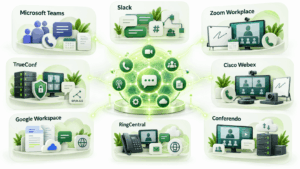
1. Microsoft Teams
Microsoft Teams combines messaging, meetings, calling, applications, tasks, and file collaboration inside the Microsoft 365 environment.
Users can communicate through direct and group chats, team channels, video meetings, screen sharing, voice calling, and collaborative Microsoft 365 applications. Teams Phone adds business calling, while Teams meetings can include recordings, transcriptions, captions, webinars, and other collaboration functions depending on the plan.
Best for: organizations already using Microsoft 365.
Strengths: messaging, meetings, calling, channels, document collaboration, enterprise identity, broad application ecosystem.
Limitations: the core service is cloud-focused, which may not match organizations that need RTC infrastructure operating entirely inside a private network.
2. Slack
Slack approaches RTC from a messaging-first perspective. Channels and direct messages form the persistent communication layer, while Huddles provide immediate audio, video, screen sharing, and a thread for notes and related discussion.
Huddles can be started from a channel or direct message. Slack also connects live conversations to persistent messaging, search, workflows, and application integrations.
Best for: teams where persistent messaging is the center of collaboration.
Strengths: channels, integrations, Huddles, search, workflows, and a natural transition from asynchronous messaging to a live conversation.
Limitations: organizations requiring large formal video conferences, traditional enterprise telephony, or locally operated RTC infrastructure may need additional systems.
3. Zoom Workplace
Zoom Workplace extends Zoom’s meeting environment into messaging, business calling, whiteboards, documents, scheduling, and other collaboration tools.
Its main strength remains synchronous communication. Users can move between meetings, team chat, phone calls, whiteboard sessions, and follow-up collaboration without treating each interaction as a separate system.
Best for: organizations where video meetings are a major part of daily communication.
Strengths: video meetings, team chat, phone, whiteboards, scheduling, recording, external participant access.
Limitations: the standard architecture is cloud centered, so organizations with strict infrastructure control requirements need to evaluate deployment and data handling separately.
4. TrueConf
TrueConf combines real-time video conferencing, enterprise messaging, screen sharing, file exchange, recording, presence, and other collaboration tools in a platform that can be deployed on company-controlled infrastructure.
TrueConf Server supports personal and group chats, channels, files, private network operation, Active Directory integration, SIP and H.323 interoperability, and conferences with up to 2,000 participants. The full version can operate autonomously without an internet connection, which allows organizations to keep RTC inside their own network.
TrueConf also supports browser participation, conference streaming, multiple conferencing modes, hardware video endpoints, and corporate room systems.
Best for: enterprises and public sector organizations that need messaging and video communication on infrastructure they control.
Strengths: local deployment, private network operation, video conferencing, messaging, corporate directories, SIP and H.323 interoperability, support for existing communication infrastructure.
Limitations: organizations choosing local deployment need to plan, secure, monitor, and maintain the supporting server and network infrastructure.
5. Cisco Webex
Webex combines enterprise meetings, messaging, calling, screen sharing, whiteboards, and device integration.
The platform is designed for organizations that need both collaboration and business calling. Users can move from messages into calls or meetings, connect meeting room systems, invite external participants, and use Webex within a broader enterprise communications environment.
Best for: enterprises that need meetings, messaging, calling, and integration with business communication infrastructure.
Strengths: calling, meetings, messaging, screen sharing, whiteboards, meeting room ecosystem, enterprise communications.
Limitations: the breadth of the platform can create more licensing and configuration decisions than a narrower meeting or chat application.
6. Google Workspace
Google Workspace connects real-time communication with collaborative content creation.
Google Meet provides live video communication, while Google Chat handles messaging. Docs, Sheets, and Slides allow multiple people to edit the same content at the same time, with permissions, comments, version history, and direct access to Chat or Meet for discussion.
Best for: organizations where live document collaboration is as important as video meetings.
Strengths: simultaneous editing, Google Meet, Google Chat, shared files, browser-based workflows, close integration across Workspace.
Limitations: organizations requiring traditional business telephony or locally operated RTC infrastructure may need additional products.
7. RingCentral
RingCentral approaches RTC from a business telephony and unified communications perspective.
Its platform combines business phone services, team messaging, video meetings, file sharing, and integrations. This model is useful when an organization wants internal collaboration and external telephone communication to operate within the same communication environment.
Best for: businesses that want telephony, meetings, and messaging under one cloud communications platform.
Strengths: business calling, video, messaging, external communication, integrations.
Limitations: organizations focused primarily on messaging or private network deployment may not need the broader cloud telephony architecture.
8. Conferendo
Conferendo covers RTC primarily through video communication, meetings, webinars, messaging, screen sharing, file exchange, and browser or application based participation.
Conferendo provides desktop, mobile, and browser access for video communication. Its enterprise deployment options include on-premises and private cloud scenarios, along with Active Directory and LDAP integration, virtual rooms, chat, screen sharing, file sharing, and adaptive video quality.
The platform can therefore address two different RTC scenarios. It can serve users who mainly need direct video communication, while locally deployed configurations are relevant to organizations that want to operate video communication inside infrastructure they control.
Best for: teams that prioritize real-time video interaction and organizations evaluating locally deployed video communications.
Strengths: video meetings, webinars, chat, screen sharing, file sharing, mobile and browser access, local deployment options, directory integration.
Limitations: organizations whose main requirement is persistent team messaging, business telephony, or complex workflow automation should compare Conferendo with platforms built around those functions.
Real-Time Communication Platforms Compared
|
Platform |
Main RTC Model |
Messaging |
Video |
Calling |
Deployment Focus |
Distinctive Strength |
|---|---|---|---|---|---|---|
|
Microsoft Teams |
Collaboration suite |
Yes |
Yes |
Yes |
Cloud |
Microsoft 365 integration |
|
Slack |
Messaging-first |
Yes |
Huddles |
Huddles |
Cloud |
Channels and integrations |
|
Zoom Workplace |
Meetings-first |
Yes |
Yes |
Yes |
Cloud |
Video meeting workflow |
|
TrueConf |
Unified enterprise communication |
Yes |
Yes |
Yes |
On-premises and private infrastructure |
Local RTC and video infrastructure |
|
Cisco Webex |
Enterprise unified communications |
Yes |
Yes |
Yes |
Cloud and enterprise communications |
Calling and meeting room ecosystem |
|
Google Workspace |
Content collaboration |
Google Chat |
Google Meet |
Meeting audio |
Cloud |
Real-time document editing |
|
RingCentral |
Telephony-first unified communications |
Yes |
Yes |
Yes |
Cloud |
Business phone integration |
|
Conferendo |
Video focused communication |
Yes |
Yes |
Video calling |
Hosted, on-premises, private cloud |
Video communication and local deployment |
Insight 4. Platform Category Matters More Than Feature Count: Most major RTC platforms now include some combination of messaging, video, file sharing, calling, and collaboration. That does not make them interchangeable.
Slack starts from persistent messaging. Zoom starts from meetings. RingCentral starts from business telephony. Google Workspace connects communication to live document work. TrueConf emphasizes locally controlled messaging and video infrastructure. Conferendo focuses strongly on video communication and also provides locally deployed options.
The useful comparison therefore begins with the organization’s dominant communication workflow rather than a feature checklist containing dozens of similar capabilities.
Cloud vs. On-Premises RTC
The deployment model affects who operates communication infrastructure and where communication data is processed.
|
Criterion |
Cloud RTC |
On-Premises RTC |
|---|---|---|
|
Initial deployment |
Usually faster |
Requires infrastructure planning |
|
Server administration |
Vendor managed |
Customer managed |
|
Scaling |
Usually handled by provider |
Requires resource planning |
|
Data location |
Depends on provider architecture and contract |
Controlled more directly by the organization |
|
Internet dependency |
Usually required |
Some systems can work inside private networks |
|
Updates |
Managed by vendor |
Organization can control schedule |
|
Custom network architecture |
Limited by service design |
Greater control |
|
Operational responsibility |
More responsibility transferred to provider |
More responsibility retained by customer |
Cloud platforms are usually simpler for organizations that do not want to operate communication servers. On-premises RTC becomes more relevant when the organization needs network isolation, infrastructure control, deep integration with internal systems, or communication that can continue without dependence on a public RTC service.
How to Choose a Real-Time Communication Platform?

Start with the communication problem rather than the product category.
- Identify whether the main need is messaging, video, calling, customer interaction, live document work, or a combination.
- Define the required deployment model.
- Estimate meeting sizes, concurrent calls, messaging volume, and geographic distribution.
- Check identity integration, access controls, and administrative requirements.
- Test browser, desktop, mobile, and meeting room compatibility.
- Identify external dependencies such as cloud recording, transcription, mobile notifications, AI services, or telephony.
- Evaluate programming interfaces and integrations with existing business systems.
- Define acceptable latency and quality for the actual workflow.
- Test the platform under realistic network conditions before full deployment.
For critical communication, a small pilot is not enough if it only tests a few users on an ideal office network. Organizations should reproduce realistic meeting sizes, remote connections, mobile access, network restrictions, and recovery scenarios.
Benefits and Limitations of Real-Time Communication

Real-time communication is most valuable when response delay has a measurable operational cost. Examples include incident response, customer support, sales conversations, urgent approvals, troubleshooting, remote consultations, and situations where participants need to see or discuss the same information immediately.
RTC can shorten feedback loops, improve remote interaction, reduce unnecessary email exchanges, and help people resolve complex issues through voice, video, screen sharing, live messaging, or shared application data. Live interaction can also reduce ambiguity because participants can ask follow-up questions and correct misunderstandings during the same session.
The same immediacy can create problems when it is applied to work that does not require an immediate response. Too many meetings and notifications interrupt focused work, while video and audio consume more network resources than asynchronous text. Live communication can also produce less durable knowledge if decisions disappear when the call ends.
Real-time communication works best when important live interactions return to persistent context. A meeting can produce a recording or transcript, a live support session can generate a case record, and a voice discussion can return to a persistent channel or document where decisions remain available later.
The goal should therefore not be to make every interaction real-time. Organizations should use RTC where waiting creates meaningful delay or risk, and use asynchronous communication where additional response time improves concentration, documentation, accessibility, or coordination across time zones.
Conclusion
Real-time communication is the immediate exchange of voice, video, messages, screen content, or application data between people or systems. It supports live meetings, business calling, instant messaging, customer interaction, remote assistance, collaborative editing, and many other digital workflows. WebRTC is an important enabling technology for browser-based RTC, but a complete communication environment also depends on signaling, identity, media infrastructure, administration, integrations, monitoring, and network design.
The best RTC platform depends on the communication model an organization actually needs. Microsoft Teams and Google Workspace connect RTC to productivity suites, Slack centers communication around messaging, Zoom focuses strongly on meetings, Cisco Webex and RingCentral combine collaboration with enterprise calling, TrueConf supports locally controlled messaging and video infrastructure, and Conferendo focuses on video communication with hosted and locally deployed scenarios. Buyers should evaluate workflow, deployment, data control, latency requirements, integrations, and operational responsibility together rather than choosing a platform only by feature count.
FAQ
What does real-time communication mean?
Real-time communication means exchanging information with low enough delay for participants or systems to interact immediately. Examples include video calls, voice calls, instant messaging, screen sharing, live customer support, and simultaneous document editing.
What is the difference between RTC and WebRTC?
RTC is the broad category of immediate digital communication. WebRTC is a standardized set of web technologies that enables browsers and applications to exchange audio, video, and application data in real-time.
Is instant messaging real-time communication?
Instant messaging can be a form of real-time communication when messages are delivered immediately and users interact live. The same platform can also support asynchronous communication when participants respond later.
What are the main types of real-time communication?
The main types include voice calls, video conferencing, instant messaging, live chat, screen sharing, real-time document editing, presence, live captions, and interactive application data. Enterprise RTC platforms often combine several of these modes.
Does RTC require WebRTC?
No. RTC can use WebRTC, SIP, internet telephony infrastructure, messaging protocols, proprietary communication systems, and other technologies. WebRTC is especially important for browser-based voice, video, screen sharing, and data communication.
What causes poor real-time communication quality?
Common causes include high latency, packet loss, jitter, limited bandwidth, unstable wireless networks, overloaded endpoints, inefficient routing, and insufficient server capacity. The importance of each factor depends on whether the application is carrying text, voice, video, or highly interactive data.
Can real-time communication work without the internet?
Yes, if the platform is designed for local or private network operation. For example, the full version of TrueConf Server can operate autonomously inside an organization’s network without an internet connection, while cloud-focused RTC services normally depend on access to provider infrastructure.